Company Info
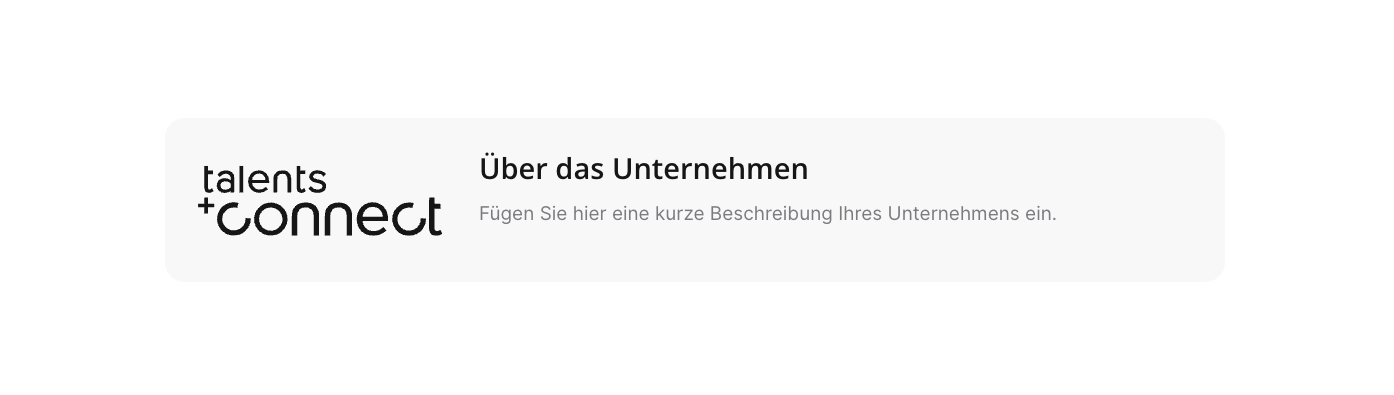
The Company Info module lets you place your company's logo, heading, and description as a dedicated content block on the job detail page – at exactly the position where you insert the module in the template. There are two variants: static (you maintain the content yourself in the editor) and dynamic (content is pulled automatically from your applicant tracking system (ATS)).
The module – what it can look like
You select the Company Info module – like all other modules – via the "Add" button. There you can choose between the static and the dynamic module.
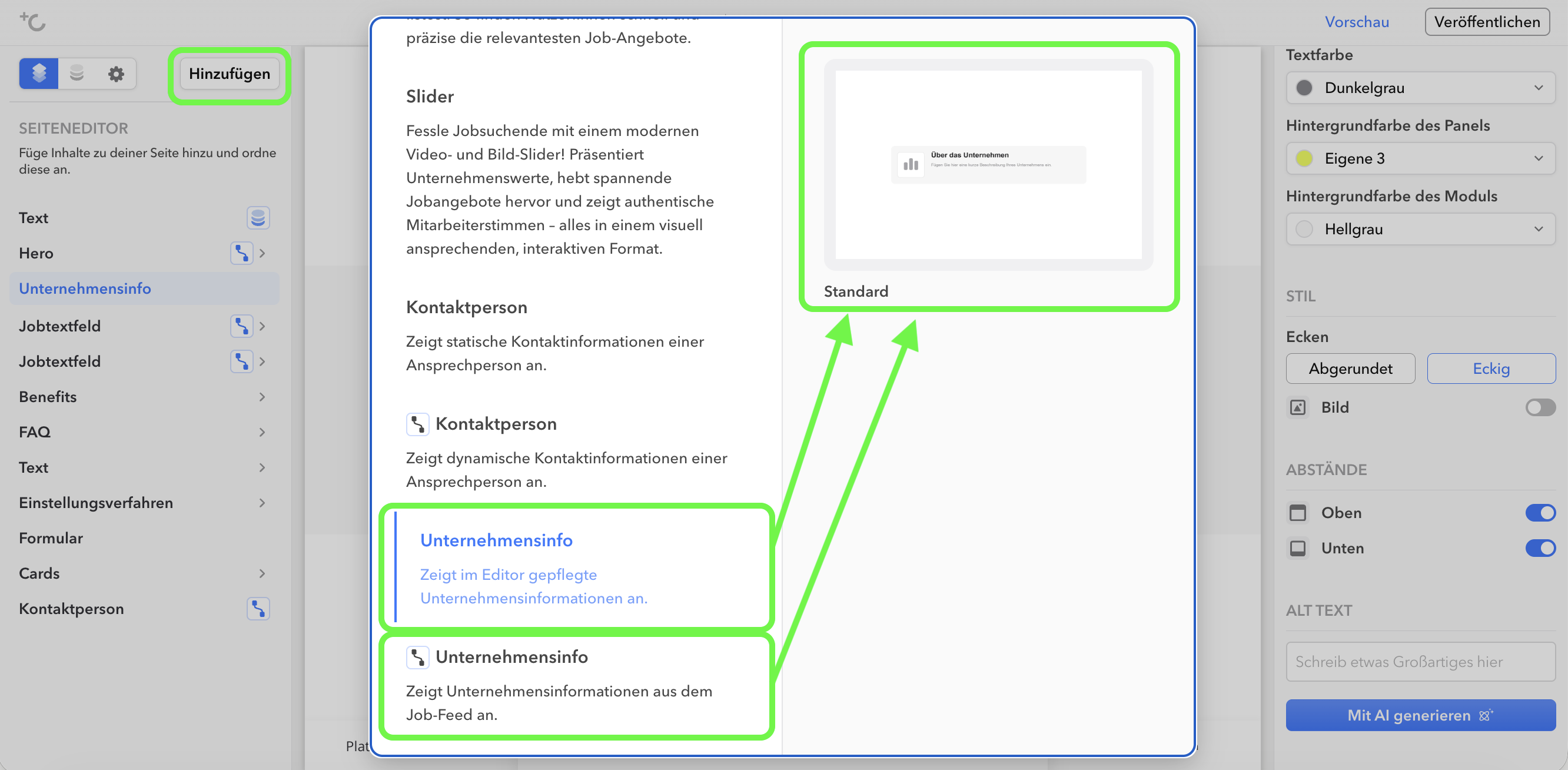
Static vs. dynamic module
Both variants look the same on the job detail page – the difference lies in where the content comes from.
| Static | Dynamic | |
|---|---|---|
| Where does the content come from? | You maintain the heading and description yourself in the editor. | The content comes automatically from your ATS – you don't write anything yourself. |
| Text source | Fixed text in the template. | You select a content field after adding the module. The default is About us. The selected field fills the heading and body text. |
| Logo | You upload the logo in the editor. | The logo is taken from the job. |
| Display in the template | All jobs using this template show the same company block. | Each job displays its own company info – from a single template. |
| When to use? | When all jobs on this template belong to the same company. | When the jobs on a template belong to different companies or brands. |
Good to know
- The module is available exclusively on job detail pages
- If the selected field is empty for a job, the dynamic module will be hidden automatically on that page. This prevents an empty box from appearing.
- Logos are fitted into their box rather than cropped. This ensures that even wide wordmark logos remain fully visible.
- Dynamic module only: From the selected feed field, the first HTML element (heading tag or paragraph) is used as the heading – for it to be displayed as a heading, it must be a heading tag. The remaining content of the field is used in full as body text, including any existing HTML formatting; nothing is truncated or filtered. There is effectively no character limit for the field (field type TEXT, up to approx. 65,000 characters).
Settings
In the left column of the editor you can select the module. Editing is then done in the right column.
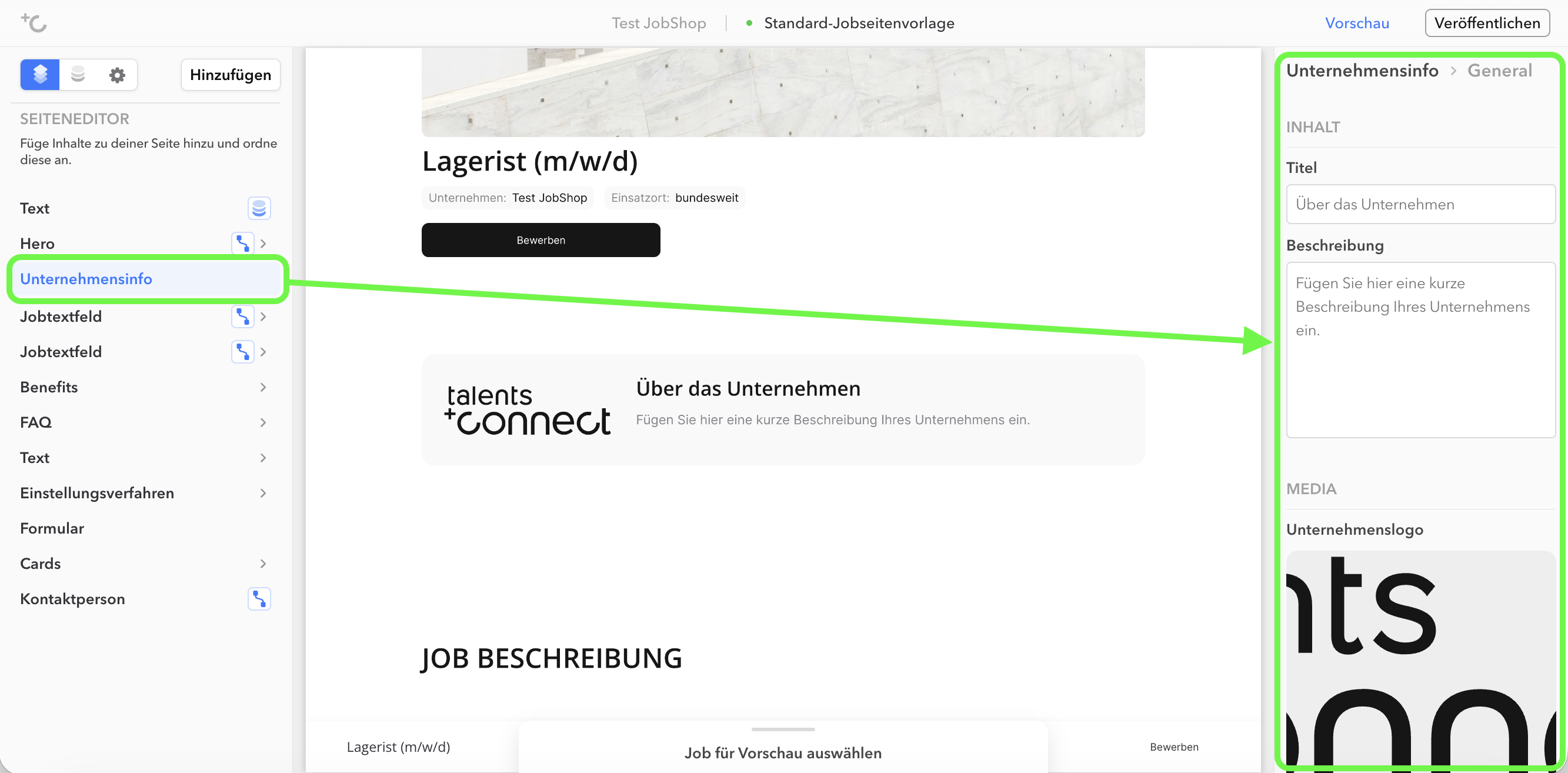
The same for both variants
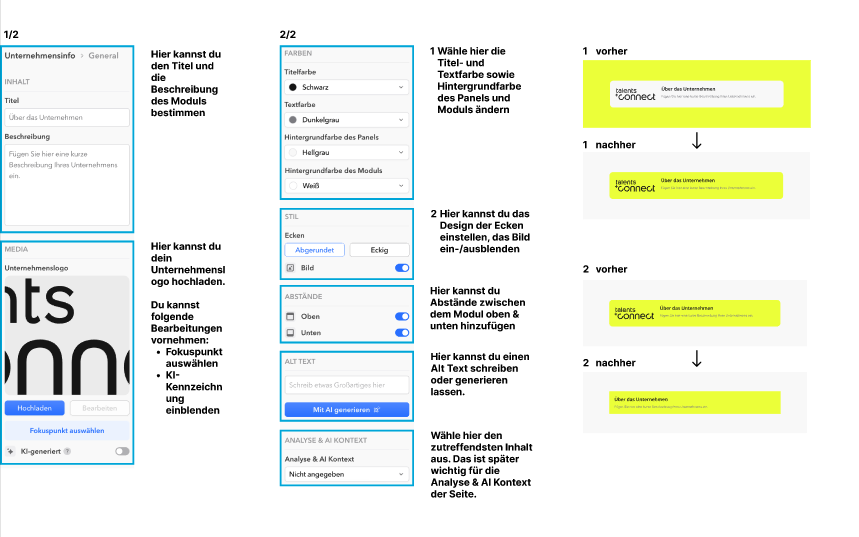
- Design: Block width, heading and text color, background color of card and module, show or hide logo, corner rounding and focal point of the logo, alternative text, and top and bottom spacing.
- Both variants are displayed as a live preview in the editor and can be saved as a preset in the module library for later reuse.
Company Info module: Global settings
Note: Labeling AI-generated images
Further information can be found in the article Labeling AI-generated images.
As of: August 2026 ✦ Language: English
Was this article helpful?
That’s Great!
Thank you for your feedback
Sorry! We couldn't be helpful
Thank you for your feedback
Feedback sent
We appreciate your effort and will try to fix the article