Image & Text

Modified on Mon, 3 Aug at 12:33 PM

    Start Module

    Boost the appeal of your page with striking visuals and compelling text. This module is best suited for putting images in the spotlight.

    The module – what it looks like

    Example view of the start module with large-format image and text area


    You select the Image & Text module – like all other modules – via the "Add" button. There you can choose between different templates. The Image & Text templates differ in design, for example in their alignment.
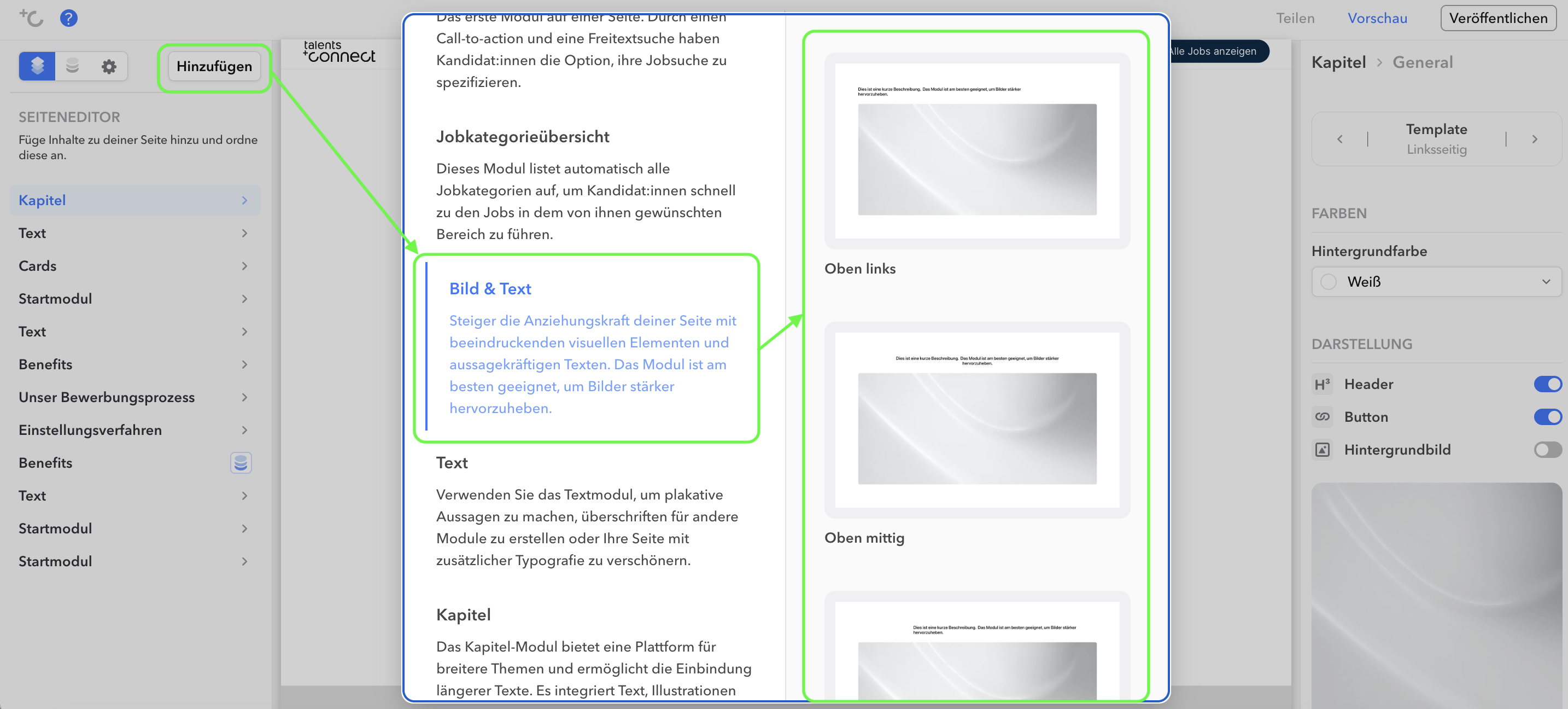
    Selecting the start module via the Add button in the editor


    Templates

    Template NamePreview
    Bottom leftPreview of the start module template with image bottom left
    Bottom centerPreview of the start module template with image bottom center
    Bottom rightPreview of the start module template with image bottom right
    Top leftPreview of the start module template with image top left
    Top centerPreview of the start module template with image top center
    Top rightPreview of the start module template with image top right
    Left topPreview of the start module template with image left top
    Left centerPreview of the start module template with image left center
    Left bottomPreview of the start module template with image left bottom
    Right topPreview of the start module template with image right top
    Right centerPreview of the start module template with image right center
    Right bottomPreview of the start module template with image right bottom

    Settings

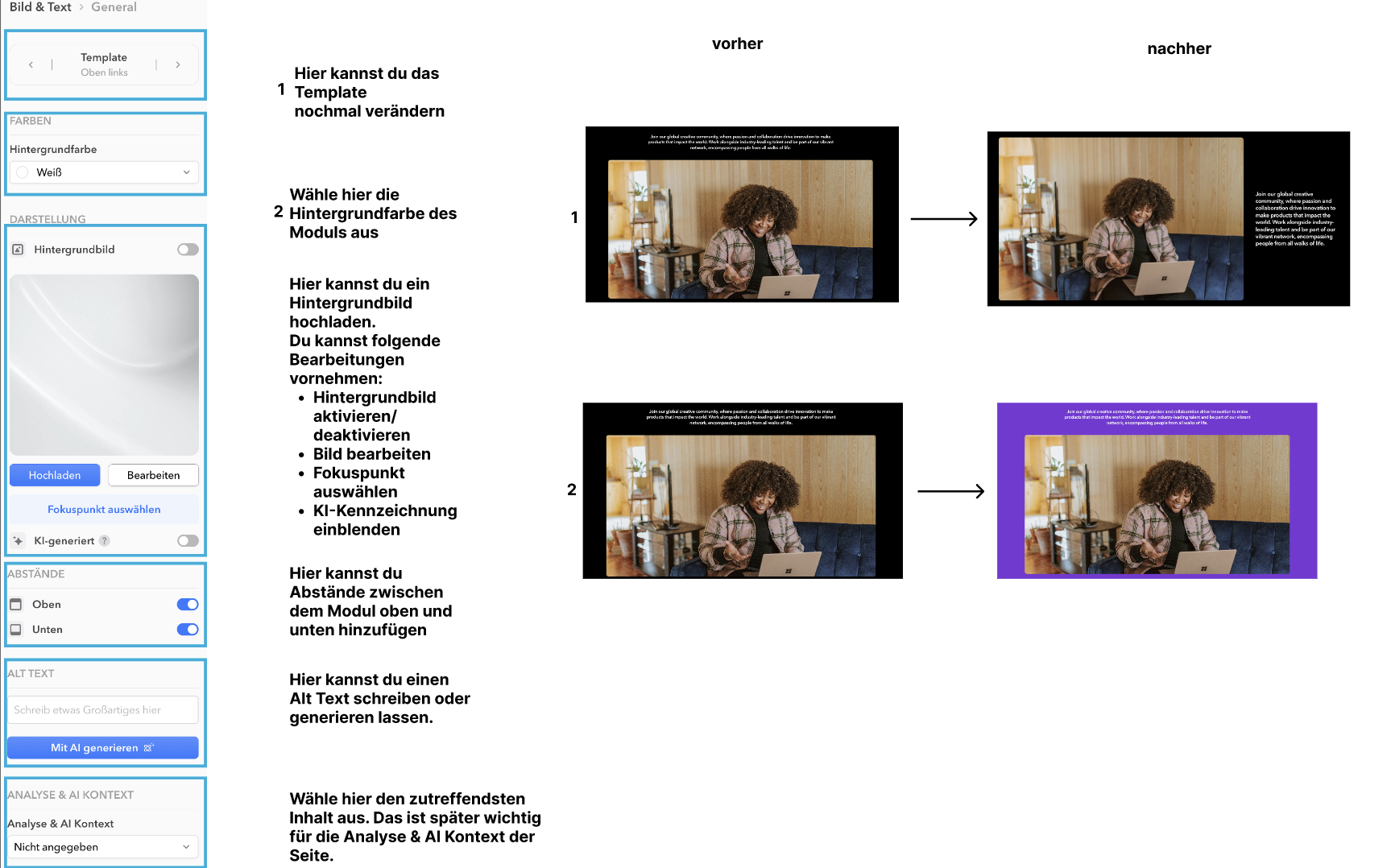
    In the left-hand column of the editor, you can choose whether you want to change global settings (under "Image & Text") or the individual sub-items of the Image & Text module. The corresponding editing then takes place in the right-hand column.
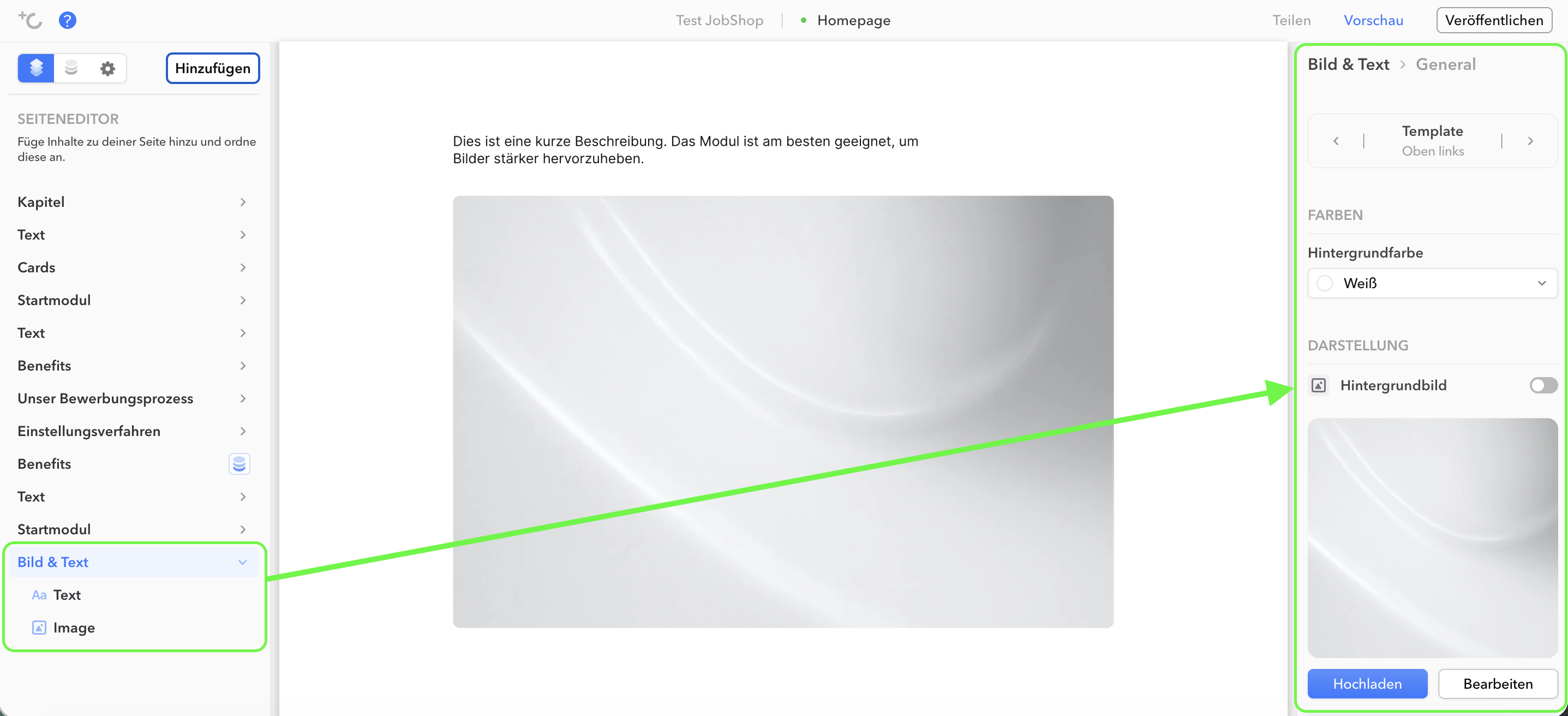
    Left column of the editor with the choice between global settings and sub-items of the start module


    Image & Text module: Global settings

    View of the start module's global settings in the editor

    Note: Labeling AI-generated images

    ⚠ As of August 2, 2026, Article 50 of the EU AI Act requires labeling of AI-generated images that would otherwise pass as genuine – for example, photorealistic people, places, or company scenes in the start module. Logos, favicons, icons, and award badges are exempt.

    You can find more information in the article Labeling AI-generated images.

    As of: August 2026 ✦ Language: English 

    Was this article helpful?

    That’s Great!

    Thank you for your feedback

    Sorry! We couldn't be helpful

    Thank you for your feedback

    Let us know how can we improve this article!

    Select at least one of the reasons
    CAPTCHA verification is required.

    Feedback sent

    We appreciate your effort and will try to fix the article