General Overview
SEO Title
The SEO title, also known as the title tag, is a key element of on-page SEO. It appears in search results as a clickable headline and is also shown at the top of the browser window. A good SEO title is precise, engaging, and includes relevant keywords to appeal to both search engines and users.
- Search engines use the title tag to understand the content of a page. Relevant keywords improve visibility for those search terms.
- A clear, meaningful title improves the user experience by correctly setting expectations about the page content — this can reduce the bounce rate.
- The ideal length for an SEO title is between 50 and 60 characters. Google truncates longer titles, so you should stay within this length so the full title is visible in search results.
SEO Description (Meta Description)
The SEO description, also known as the meta description, is a brief summary of the page content that appears below the SEO title in search results. It does not directly influence ranking, but it can significantly increase the click-through rate. It should be informative and engaging and contain relevant keywords.
- A compelling meta description can drive more clicks from users and signals to search engines that the page is valuable and relevant — this can indirectly have a positive effect on ranking.
- Even though it's not a direct ranking factor, keywords in the meta description support the page's relevance for specific search queries.
- The recommended length for a meta description is between 150 and 160 characters. As with the title tag, Google truncates descriptions that are too long, so you should stick to this limit.
Alt Text
Alt text (alternative text) is used in HTML code to describe the appearance and function of an image on a web page. It is essential for accessibility and SEO.
Accessibility: Screen readers use alt text to make image content accessible to blind or visually impaired users — this makes the web more accessible.
SEO impact:
- Image search: Alt text helps search engines understand image content and index it correctly in image search.
- Page relevance: Relevant keywords in alt text strengthen the relevance of the entire page and support its visibility in search results.
- Load times: If images fail to load, alt text gives users an alternative way to understand what was supposed to be there.
In summary: Well-optimized SEO titles and descriptions can significantly improve a page's visibility and appeal in search results, while alt text both strengthens accessibility for users and supports SEO through additional context and keyword relevance for images.
General & SEO — Settings at a Glance
Under the page settings (gear icon) you'll find the "General & SEO" section. Here you can edit the following fields:
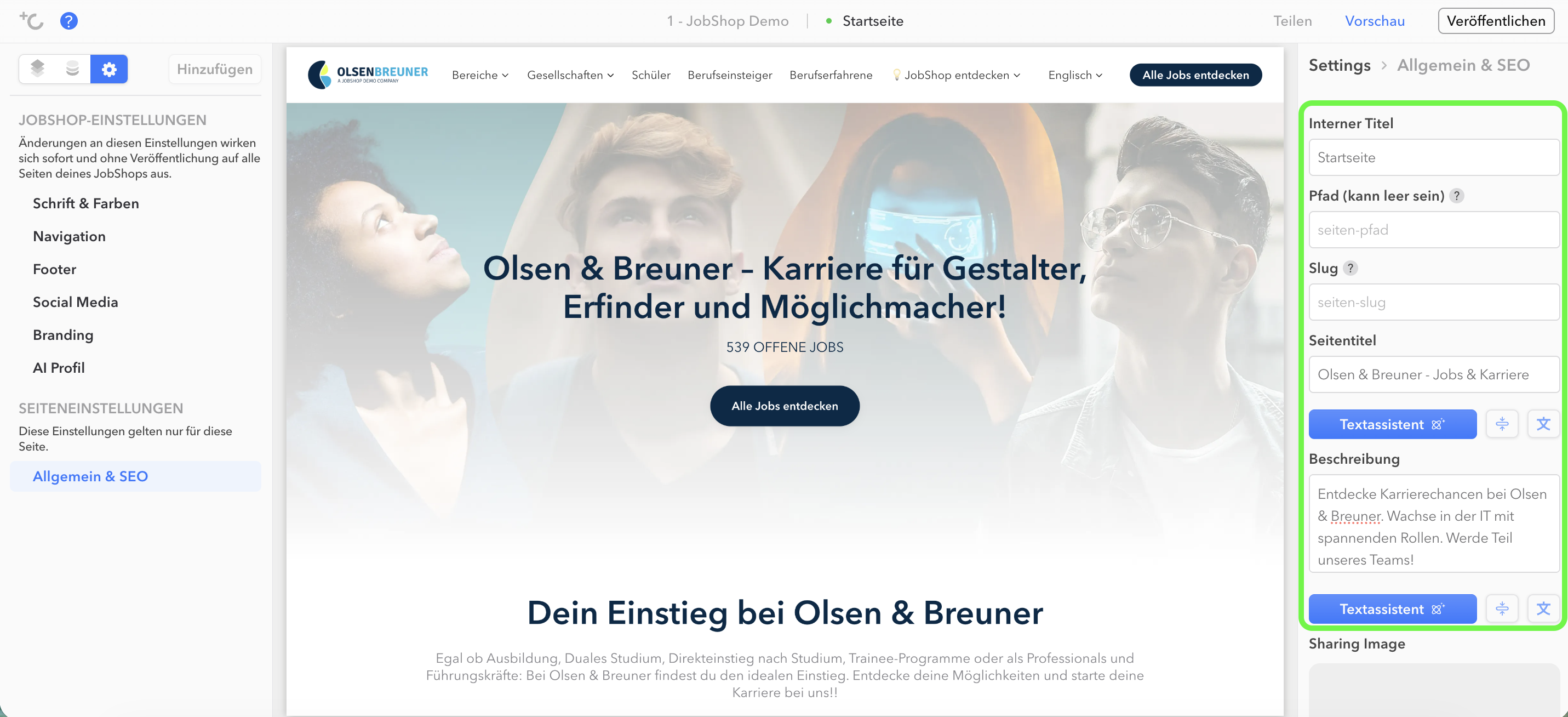
- Internal title: Only visible to you, so you can recognize the page in the Page Manager. It does not appear to applicants or in search engines.
- Path (can be empty): Defines how the URL structure is built in the JobShop, e.g.
/job-category/as the first directory level for all category pages. A clear path structure helps search engines classify pages better. The path can remain empty if the page should sit directly at the first directory level. - Slug: The last part of the path that uniquely names the page, e.g.
/job-category/marketingfor the Marketing job category. A precise slug improves discoverability in search engines and ensures a clear page structure. - Page title: The SEO title of this specific page (see "SEO Title" above) — appears as the headline in search results and in the browser tab.
- Description: The meta description of this page (see "SEO Description" above) — the short text under the title in search results.
- Text assistant: Use this button to automatically generate or refine the page title and description — handy if you're struggling with the wording.
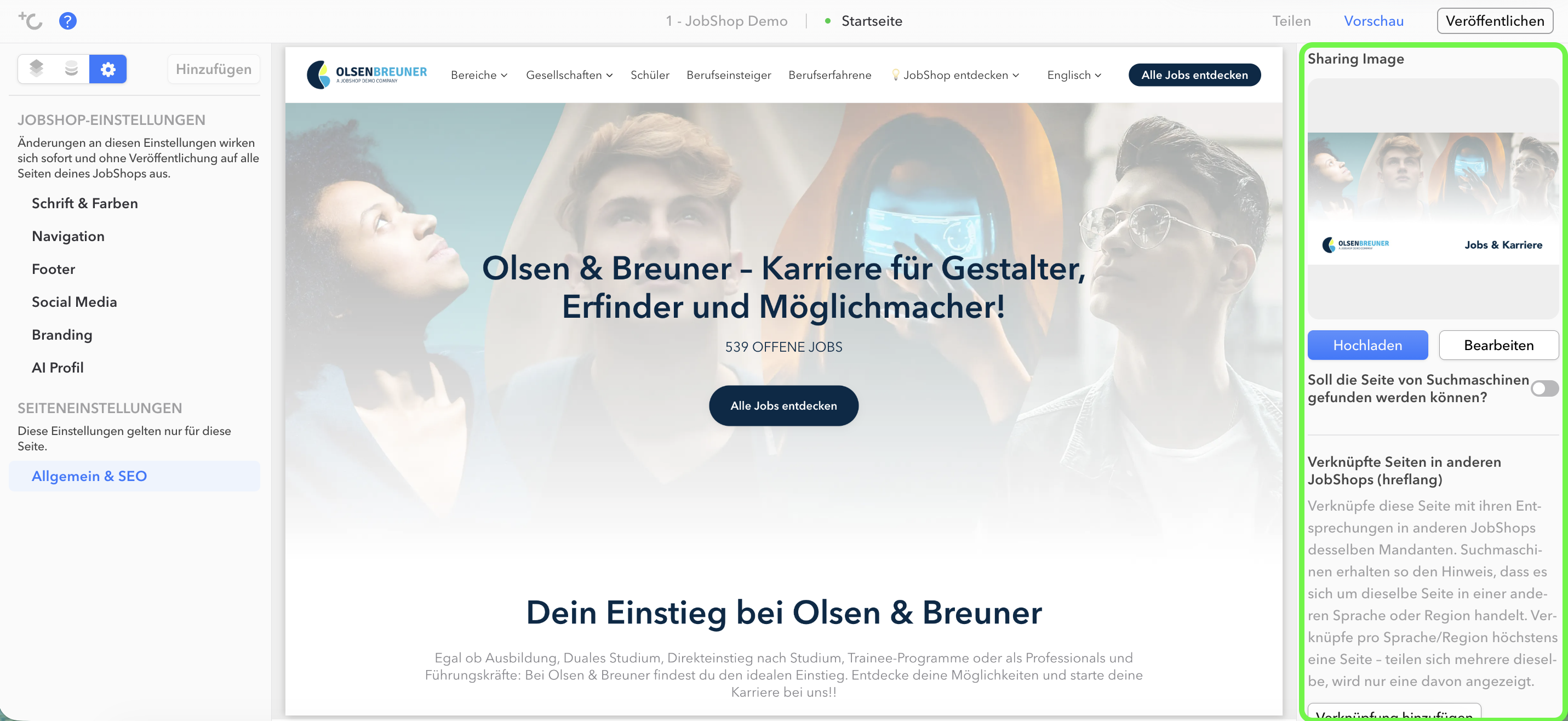
- Sharing image: The image shown when the page is shared on platforms like LinkedIn, WhatsApp, or Facebook.
- Should the page be discoverable by search engines?: This toggle determines whether the page may be indexed by Google & co. If disabled, the page won't appear in search results.
Linking Multilingual Pages (hreflang)
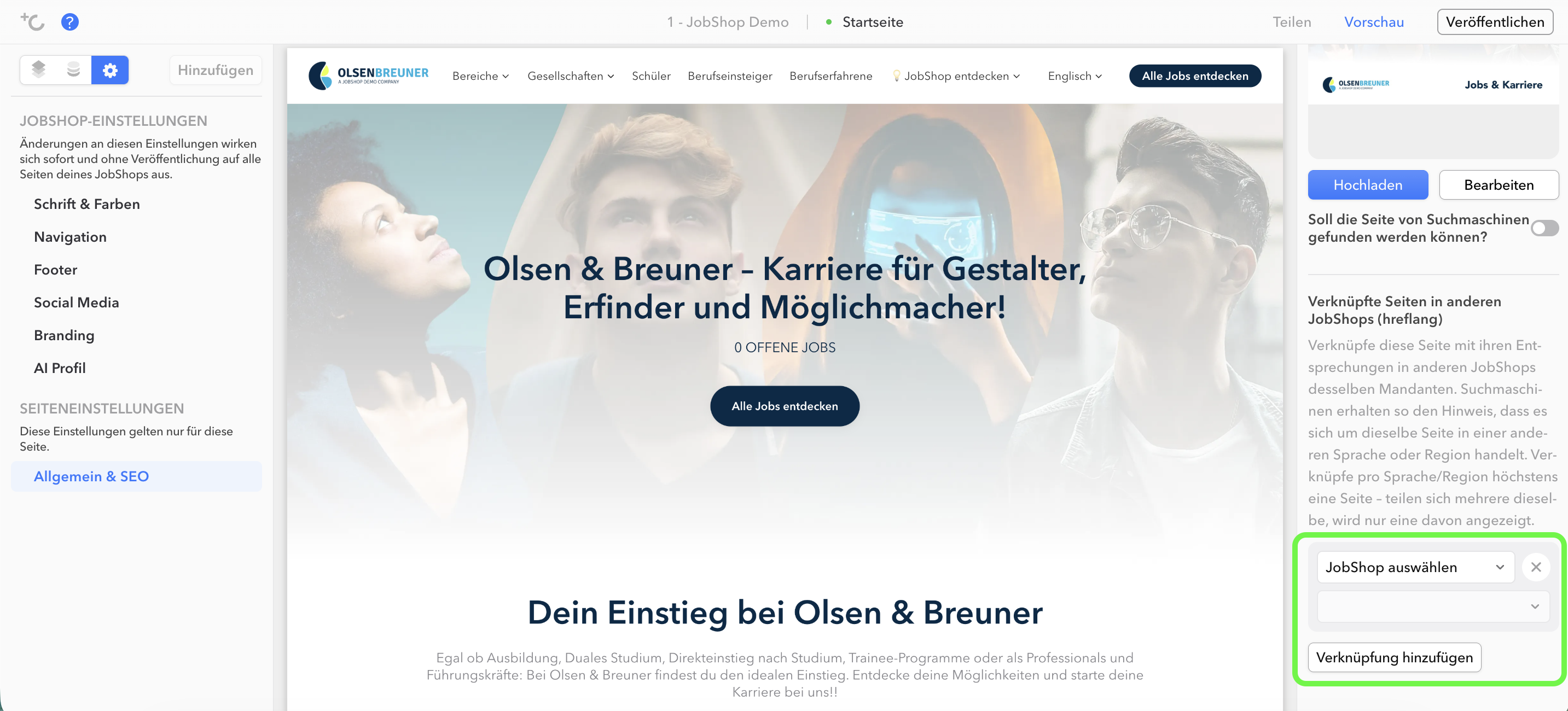
If you run multiple JobShops in different languages, the same content may appear multiple times online — for example, a homepage in German and English. To prevent Google from treating this as duplicate content, you can link the respective language versions of a page to each other. Google then recognizes that it's the same page, just in a different language — and there's no penalty in search results.
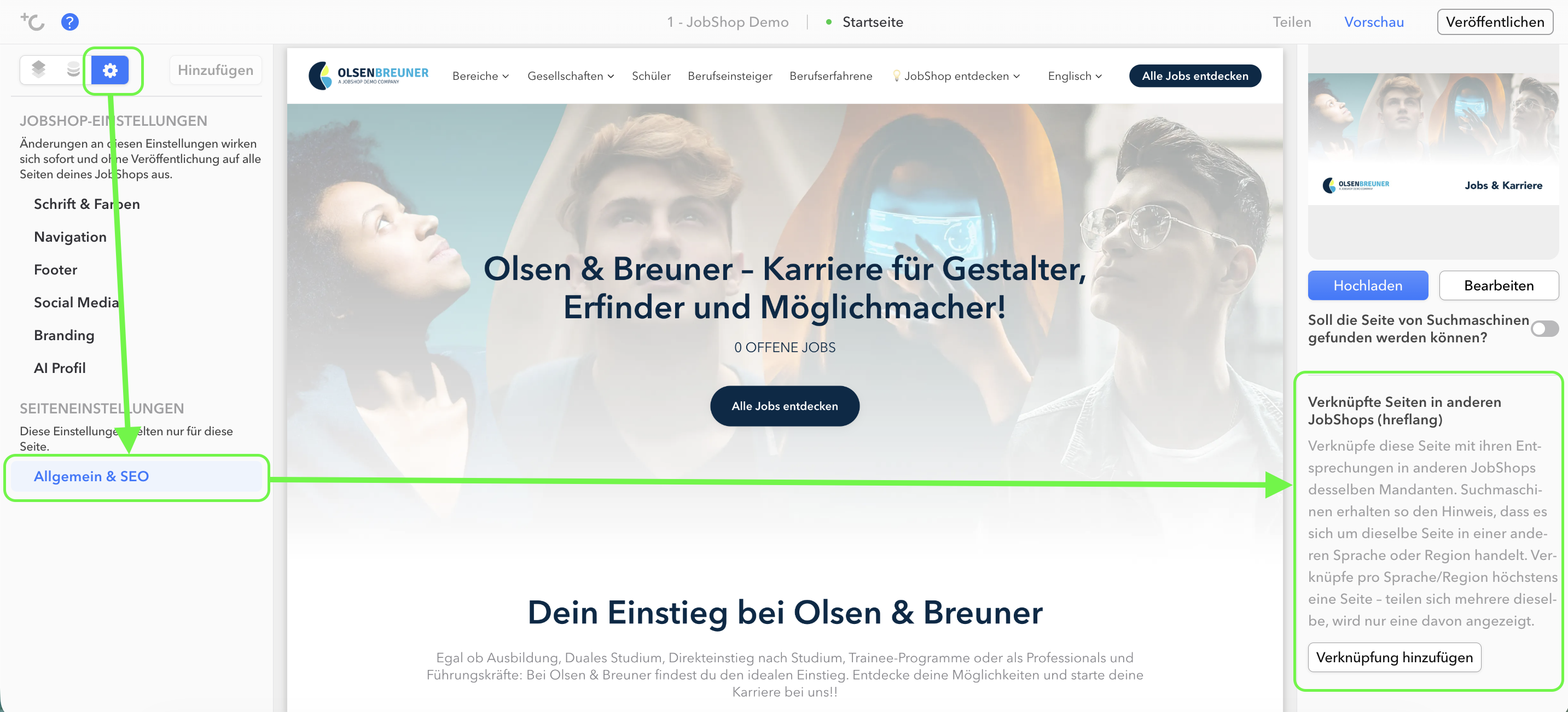
Where to find this: Open the settings via the gear icon and select "General & SEO". In the right-hand area, scroll to "Linked pages in other JobShops (hreflang)".
Was this article helpful?
That’s Great!
Thank you for your feedback
Sorry! We couldn't be helpful
Thank you for your feedback
Feedback sent
We appreciate your effort and will try to fix the article