With the Page Manager, you have the freedom to design and customize your JobShop’s homepage and job page templates to your own vision. Whether you prefer a modern look or want to make your brand shine, the Page Manager gives you the tools to bring your vision to life.
The Page Manager offers a wide range of possibilities. From adjusting color schemes to adding custom modules, it gives you the flexibility to bring your JobShop to life.
Dive into the world of the Page Manager and discover the endless possibilities it offers. Let your creativity run free and turn your JobShop into a distinctive experience for applicants.
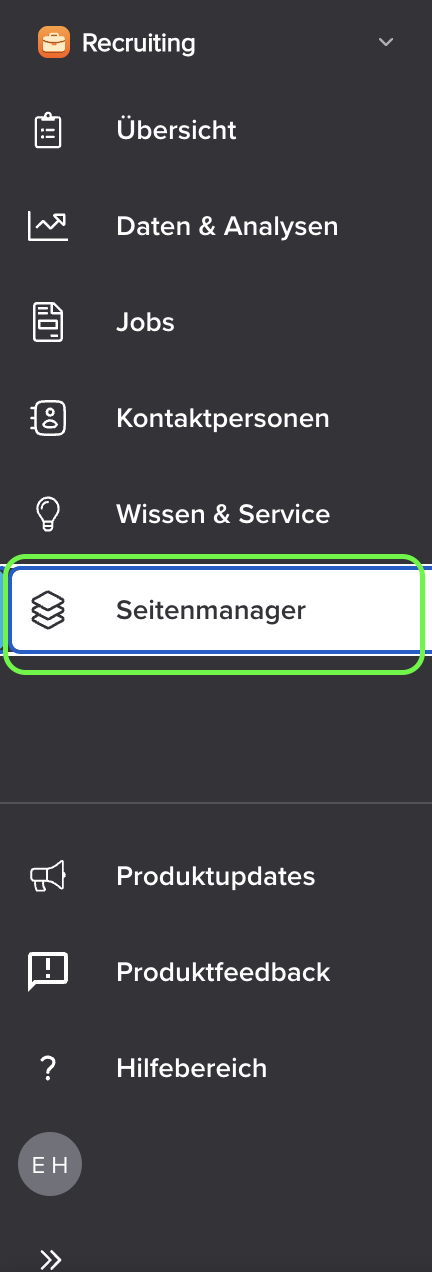
Accessing the Page Manager is easy. You’ll find it in the sidebar of your talentsconnect home, where you can open it with a single click:
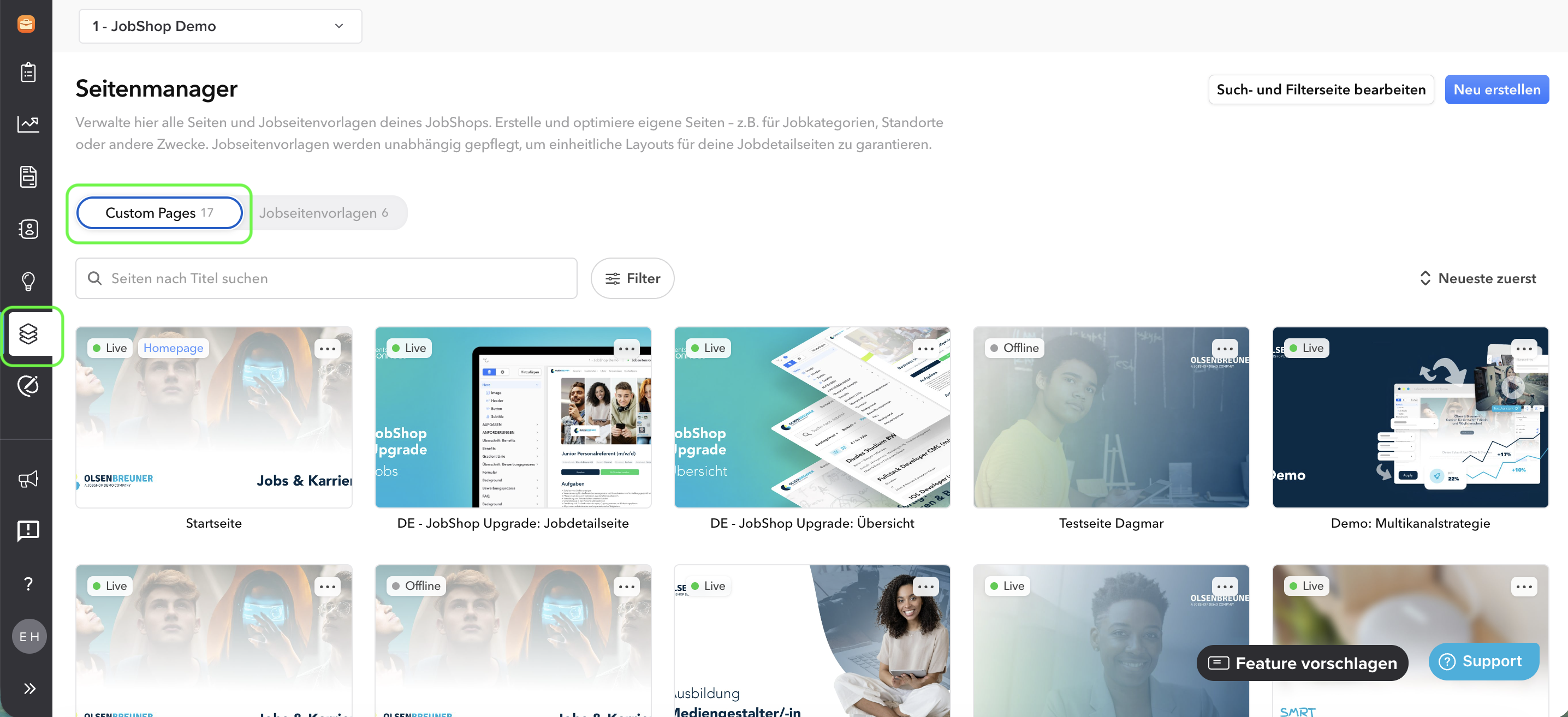
The Page Manager is divided into two categories: Custom Pages and job page templates:
Custom Pages
Custom Pages are all pages that do not pull data dynamically from a job – for example, your homepage or other information pages.
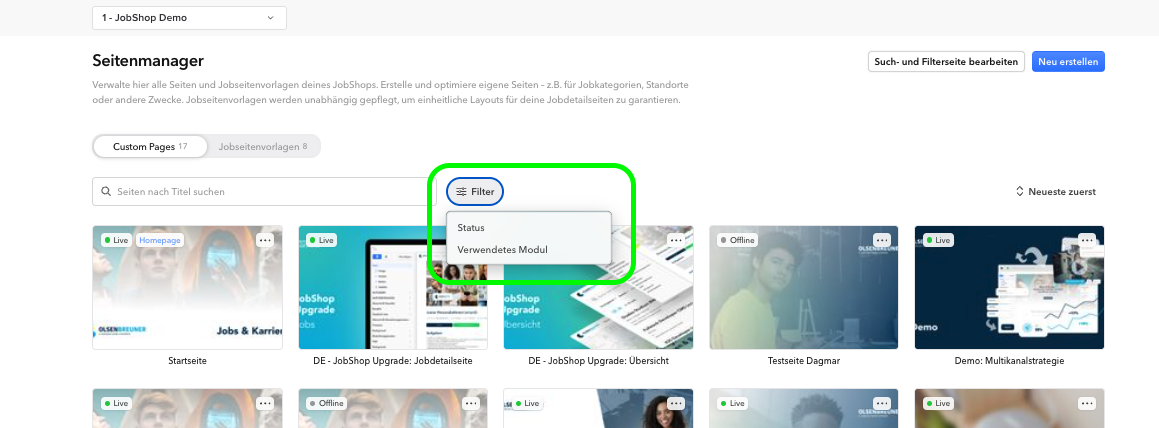
Filtering Custom Pages
Use the filters to narrow down the list of Custom Pages and find the page you’re looking for faster. Two filters are available:
- Status: Show only published or only unpublished Custom Pages.
- Used module: Filter by the module used on the Custom Page. This lets you see at a glance which pages use a particular module.
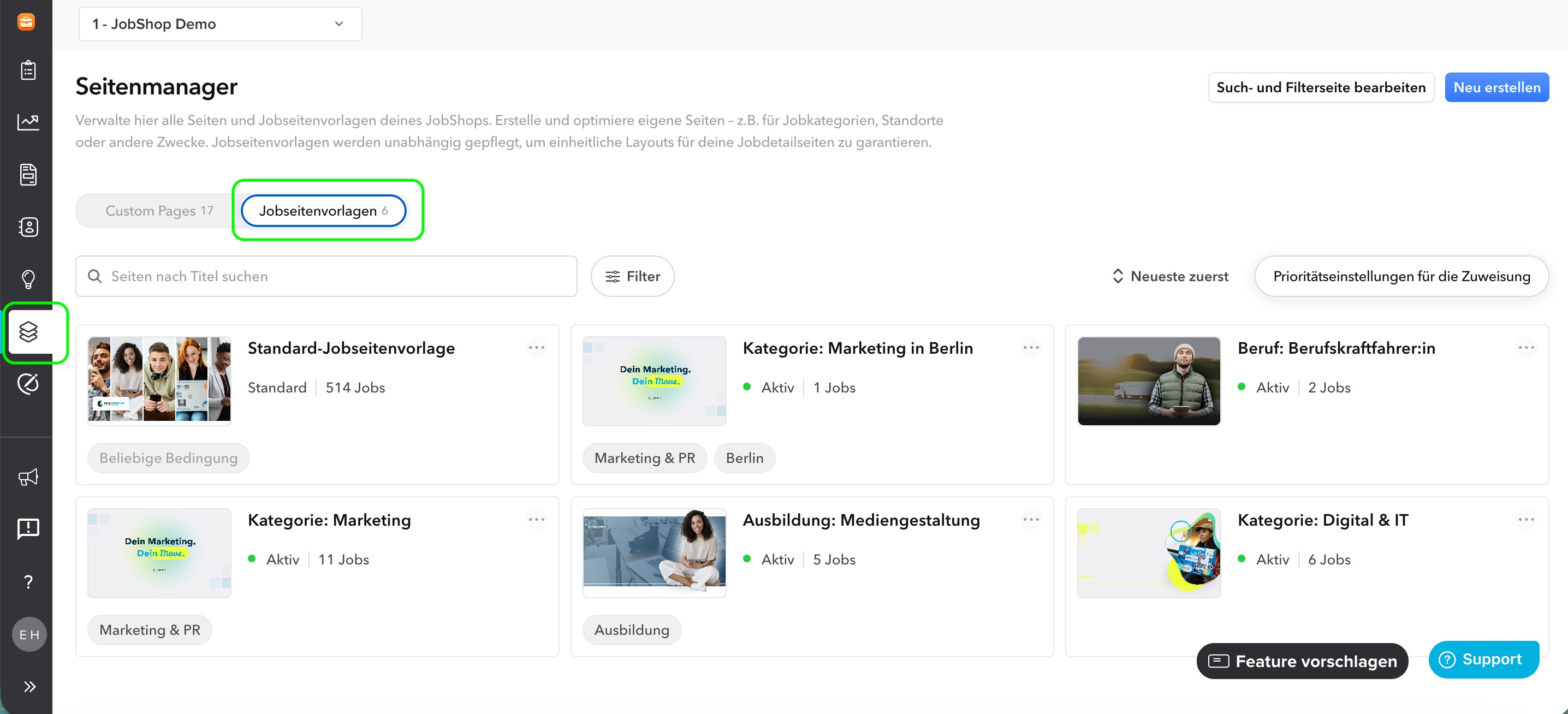
Job page templates
A job page template is a template for your jobs. One of these templates is automatically assigned to each job. You can find out exactly how this works here.
⚠ Note: Job page templates have not yet been enabled for all customers. We are rolling them out gradually. If you would like to be enabled for job page templates so you can start the switch, just get in touch – we’ll see which cohort we can place you in.
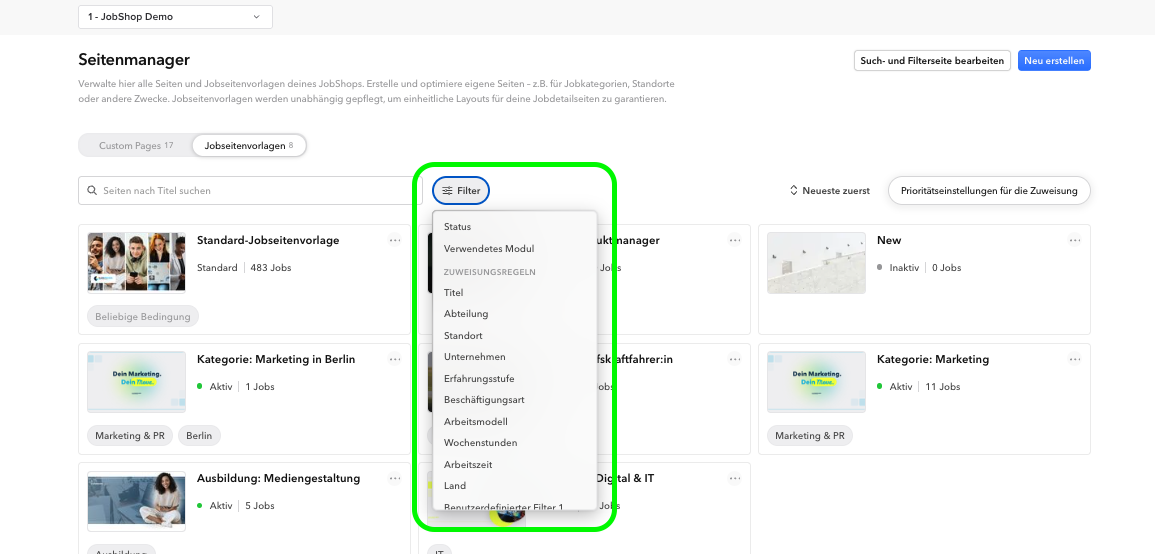
Filtering job page templates
You can also filter the list of job page templates to find the right template faster. The following filters are available:
- Status: Show only published or only unpublished job page templates.
- Used module: Filter by the module used in the template.
- Assignment rules: Filter by the rules used to assign the template to jobs.
As of: July 2026 ✦ Language: English
Was this article helpful?
That’s Great!
Thank you for your feedback
Sorry! We couldn't be helpful
Thank you for your feedback
Feedback sent
We appreciate your effort and will try to fix the article