Do you have an idea for a new feature or want something in the product to work better? Let us know! Through our product feedback portal you can submit feature requests for talentsconnect home, ChatAgent and Talent Studio, support other customers' ideas, and track what we're working on next.
This article explains how to submit a suggestion and what to keep in mind when doing so.
Where do I find the product feedback portal?
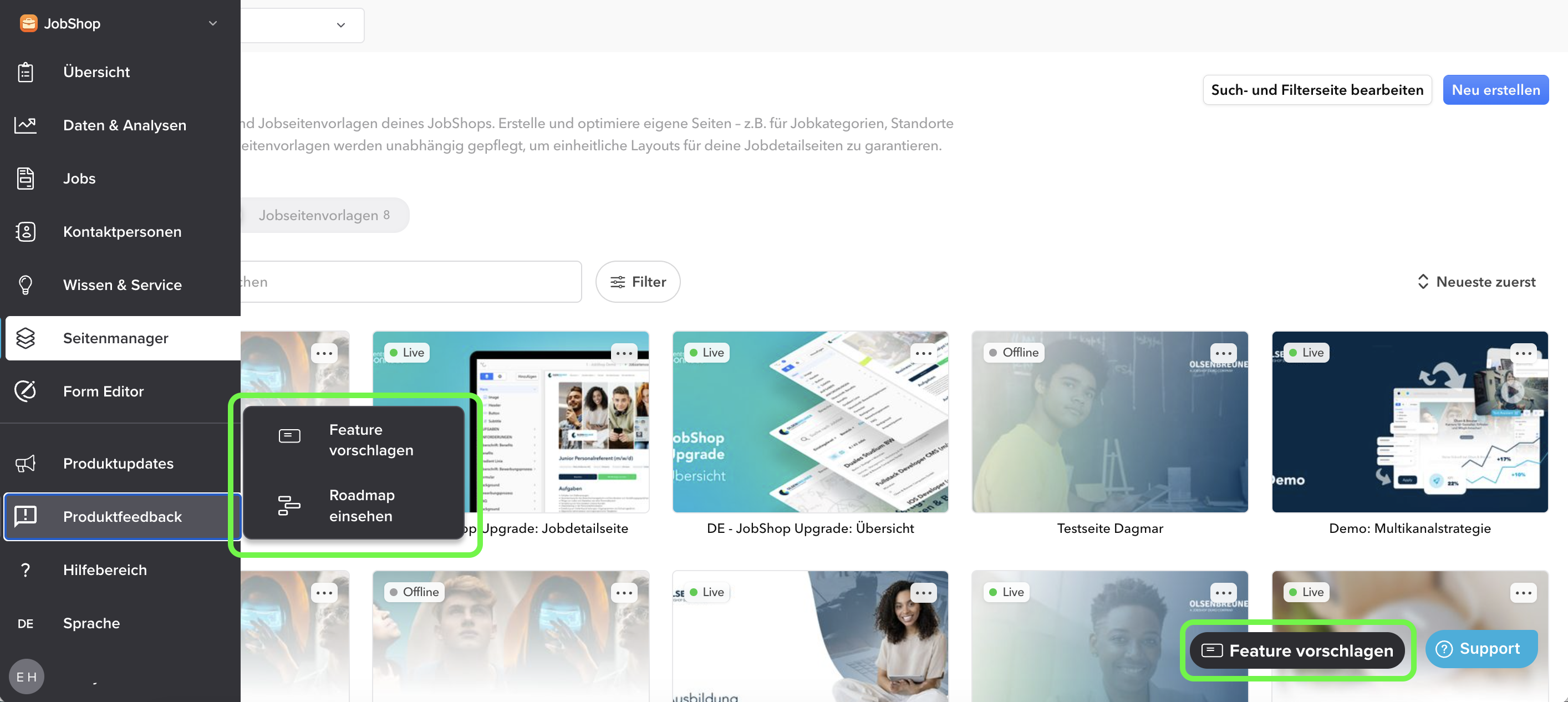
In talentsconnect home you can access the portal (Canny) directly via the sidebar:
- Open the "Product Feedback" section in the left sidebar.
- Click "Suggest a Feature" to go to the feedback portal. Right next to it you'll find the "View Roadmap" link. More on that below.
OR
1. You can also reach the feedback portal via the "Suggest a Feature" button in the bottom right corner.
Check first: Does your idea already exist?
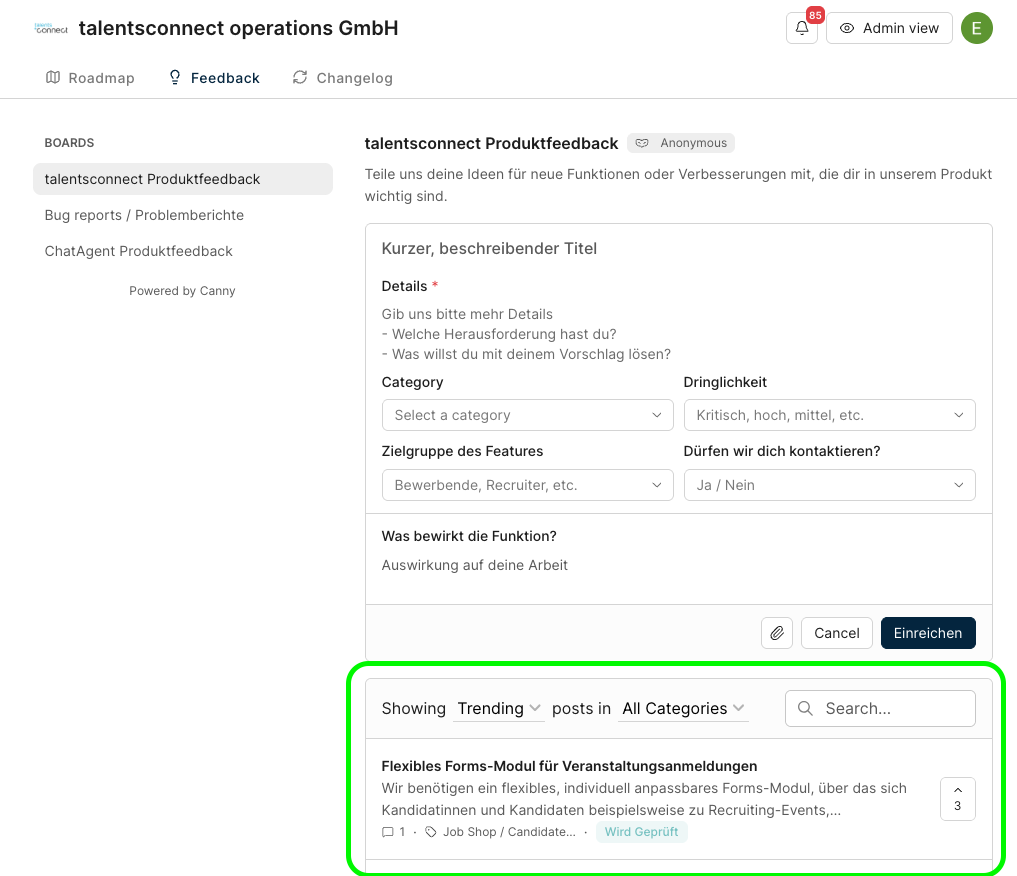
Before writing a new suggestion in Canny, it's worth taking a quick look at the existing posts. Below the form you'll find a list of all suggestions. You can search through them and filter by category.
- Vote: If you find a matching post, click the arrow with the number to the right of the post to support it.
- Comment: Add your own use case in the comments. This helps us better understand the need.
✔ Tip: A vote for an existing suggestion is often more effective than a second, similar post. This way, demand is consolidated in one place.
Suggesting a feature: Step by step
If you don't find a matching post, submit a new suggestion at the top of the page:
- Select the appropriate board.
- Enter a short, descriptive title.
- Describe your idea in the "Details" field. This is the only required field.
- Fill in the additional fields. They help us categorise your suggestion correctly.
- Optional: Attach a screenshot or file using the paperclip icon.
- Click "Submit".
The form fields
| Field | What goes here? |
|---|---|
| Title | The idea in one sentence, e.g. "Swap logo and text alignment in the company module" |
| Details (required) | What challenge are you facing? What do you want your suggestion to solve? |
| Category | The product area your suggestion relates to, e.g. Page Manager / Editor, Search & Filter, or Data & Analytics |
| Urgency | How important is this to you (e.g. critical, high, medium)? |
| Target audience of the feature | Who benefits from the feature, e.g. applicants or recruiters? |
| May we contact you? | By selecting "Yes", we can reach out to you with follow-up questions about your suggestion. |
| What impact would the feature have? | What effect would this feature have on your work? |
✔ Tip – how to make your suggestion easier to understand:
- Describe the problem first, then your proposed solution.
- Give a concrete example from your day-to-day work.
- Describe what benefit the feature would have for you or your applicants.
⚠ Note: Please report bugs in the "Bug reports / Problemberichte" board. For urgent issues, you can reach us as usual via the support widget in the bottom right corner.
Your suggestion and the number of votes are important input for our product planning. However, this does not guarantee that a feature will be implemented.
Viewing the Roadmap & Changelog
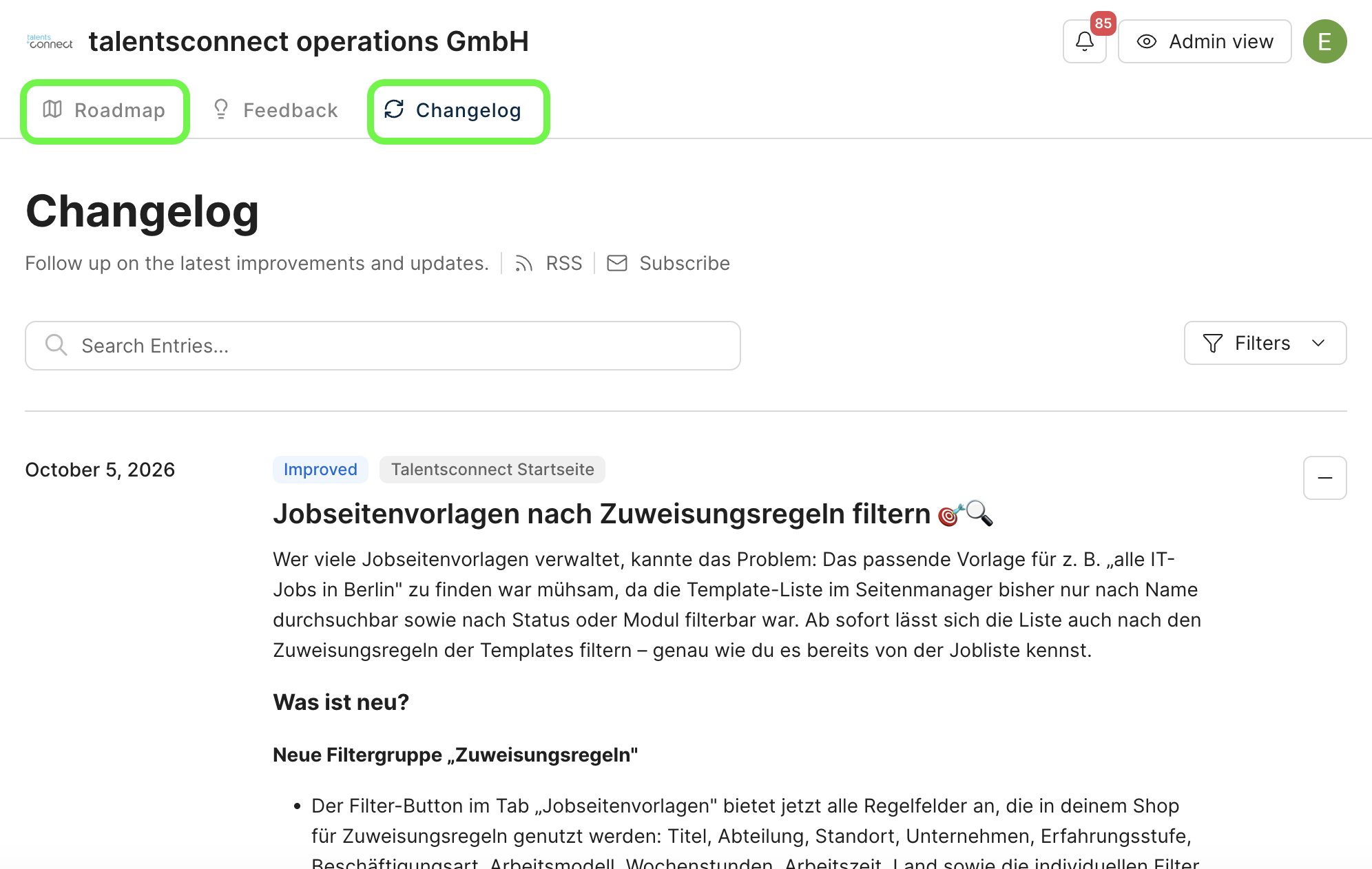
Via the "View Roadmap" link in the TC Home sidebar or the "Roadmap" tab at the top of the Canny portal, you can see what we're currently working on and what's planned next.
The "Changelog" tab in the Canny portal gives you an overview of the most recently released updates. This way you'll always stay up to date on new product features.
As of: October 2026 ✦ Language: English ✦ Audience: talentsconnect customers
Was this article helpful?
That’s Great!
Thank you for your feedback
Sorry! We couldn't be helpful
Thank you for your feedback
Feedback sent
We appreciate your effort and will try to fix the article