Optimise the hiring process and keep candidates informed every step of the way with the hiring process module. Outline the stages, requirements and expectations to provide transparency and clarity.
The module – what it can look like

You select the hiring process module – like all other modules – via the "Add" button. There you can choose from various templates. The hiring process templates differ in their design.
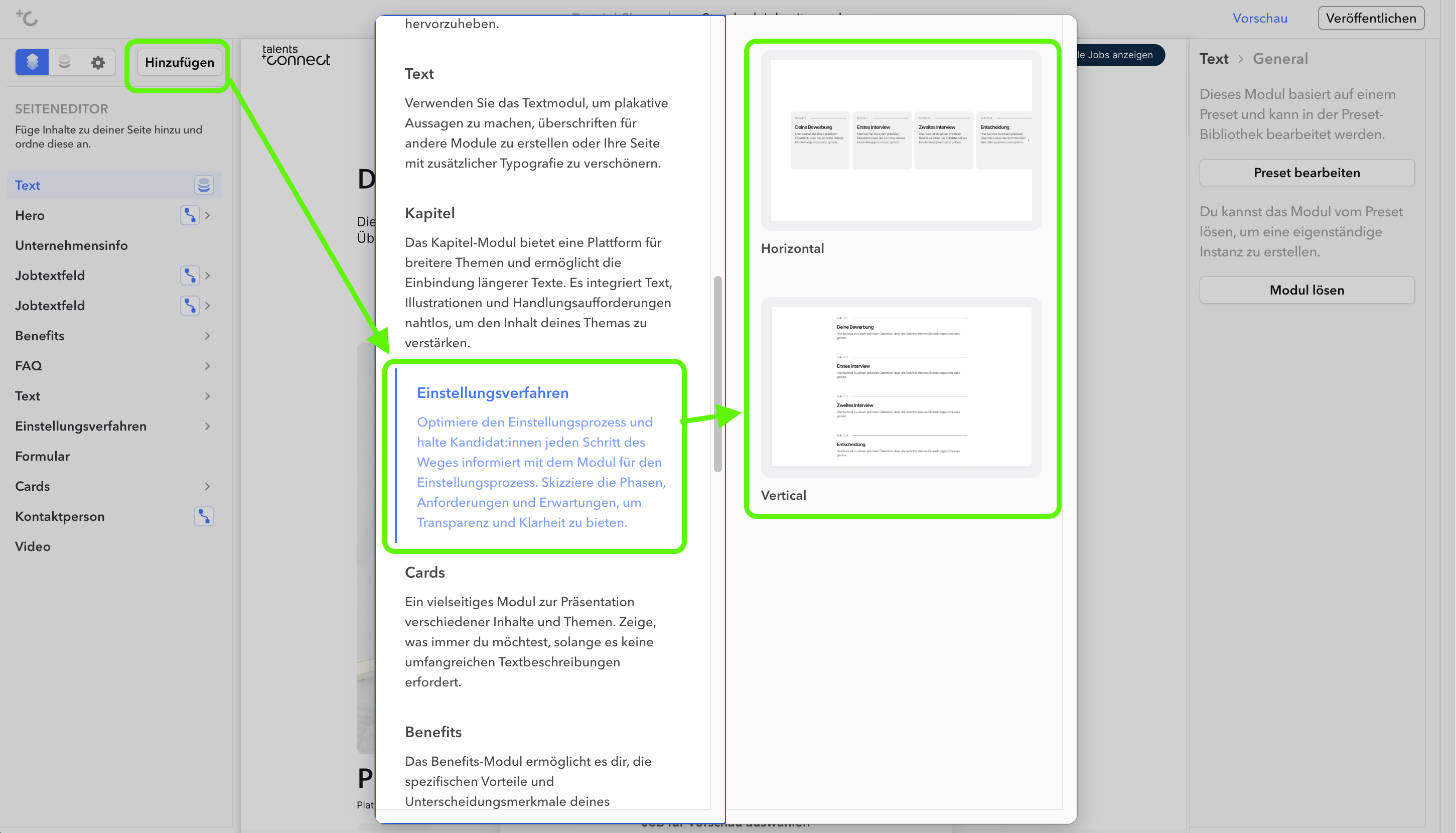
Templates
| Template Name | Preview |
|---|---|
| Horizontal |  |
| Vertical |  |
Settings
In the left column of the editor you can choose whether you want to change the global settings (under "Hiring Process") or the individual sub-items of the hiring process module (e.g. "Step 1"). The respective editing is then done in the right column.
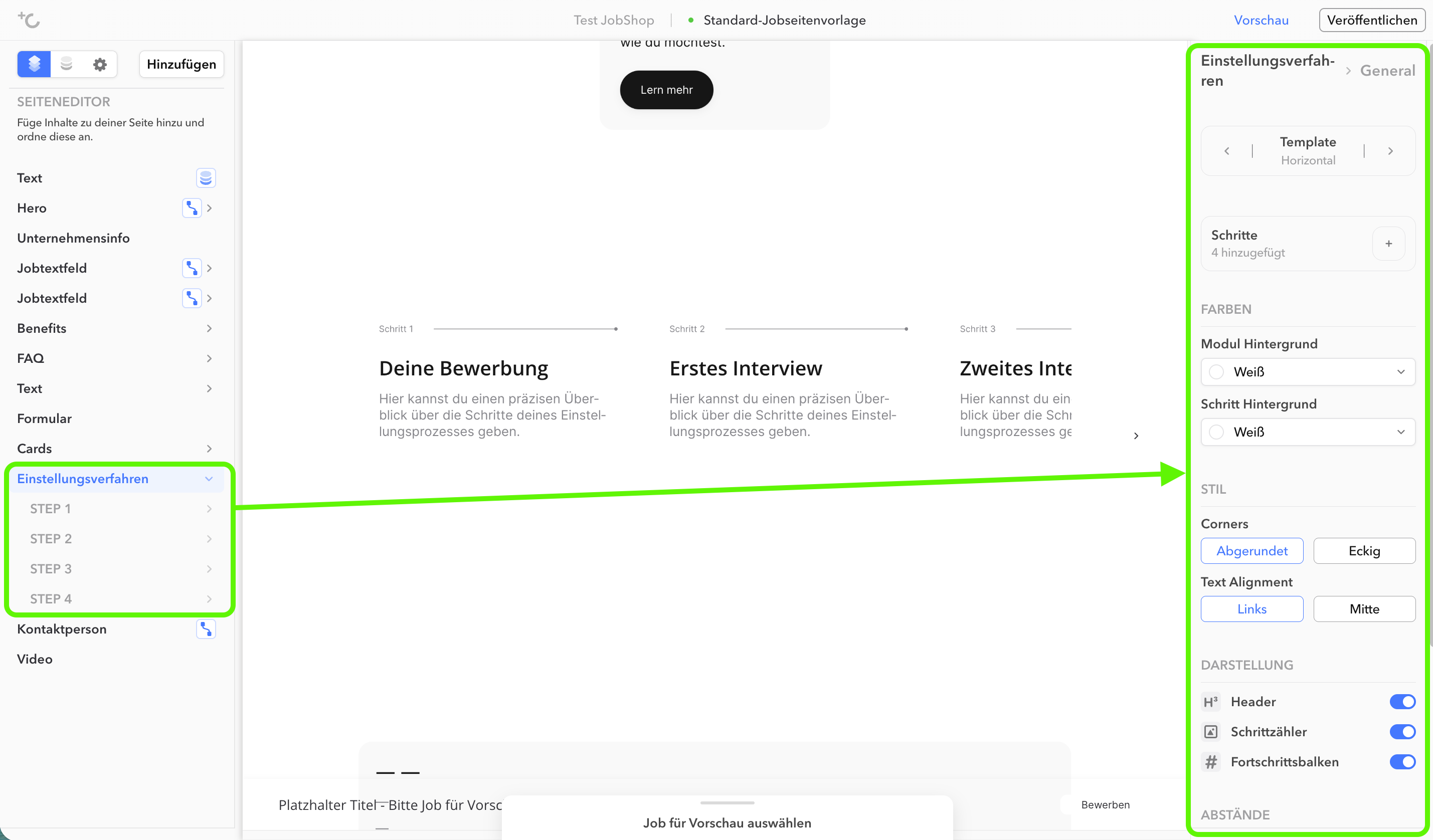
Hiring Process Module: Global Settings

As of: August 2026 ✦ Language: English
Was this article helpful?
That’s Great!
Thank you for your feedback
Sorry! We couldn't be helpful
Thank you for your feedback
Feedback sent
We appreciate your effort and will try to fix the article